April 17, 2025
This release adds sign-in with Azure Entra, moves task completion to the main screen, and adds project notifications and task locking.
Highlights
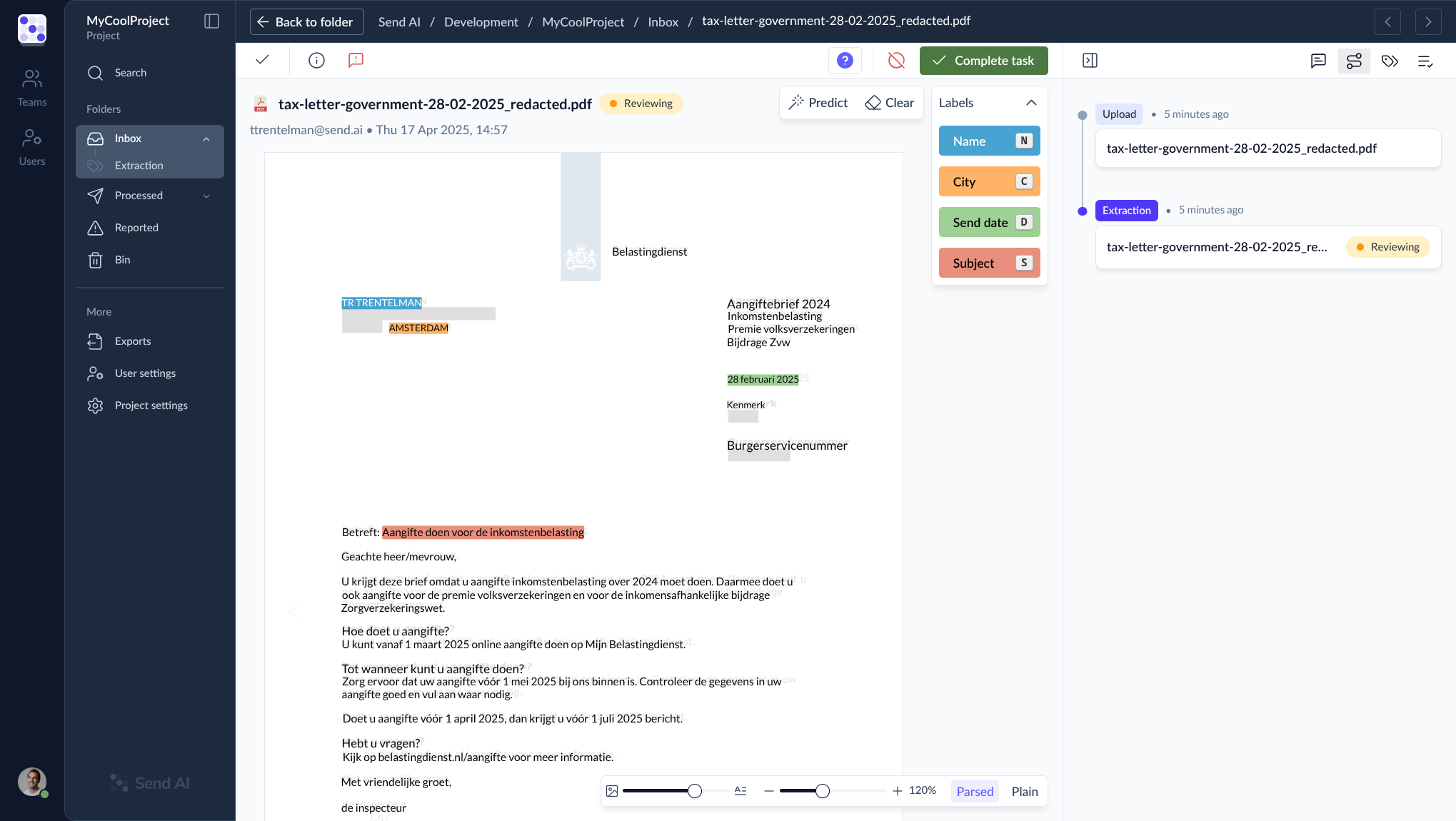
Complete task button
The Process button is now called Complete task and sits on the main screen, so you can finish a task without opening the side panel. Clicking it runs a full validation cycle, and warnings and errors appear in the main toolbar. Predict and Reset now sit next to the Labels tab in the task editor.
Export
- Task locking: a completed task waiting for export is locked so it cannot be exported twice. You can unlock it in any folder except Processed.
Administration & access
- Azure Entra sign-in: sign in with your Azure Entra account. An existing account with the same email address is linked automatically.
- Daily re-authentication: sessions ask you to sign in again every 24 hours.
Interface
- Complete task button: described above.
- Export failures in Activity: the Activity panel shows when an export failed.
- Fix button for parsing failures: a task that failed during parsing has a Fix button.
Notifications
- Project notifications: a Notifications tab in project settings sends task status changes by API or email.
- Replies to forwarded emails: forwarded emails can receive an automatic reply from Send AI.
Fixes
- Lookup validation no longer accepts partial matches.
- Tasks recover better from rare timeouts.
- Unsupported file formats are identified and reported clearly.
- Validation error messages are consistent again.
- Navigation in the documentation and path references in the API documentation are corrected.