April 17, 2025
Overview
This release introduces significant improvements to the Send AI platform, including Azure Entra integration, UI enhancements for better workflow efficiency, new notification capabilities, and task locking to prevent duplicate exports.
Authentication Improvements
Azure Entra Integration
- Single Sign-On - Sign in through Azure Entra (formerly Active Directory) accounts
- Account Synchronization - Existing accounts with the same email address will automatically sync
- Enhanced Security - Sessions now require re-authentication every 24 hours to ensure security and critical updates
UI Enhancements
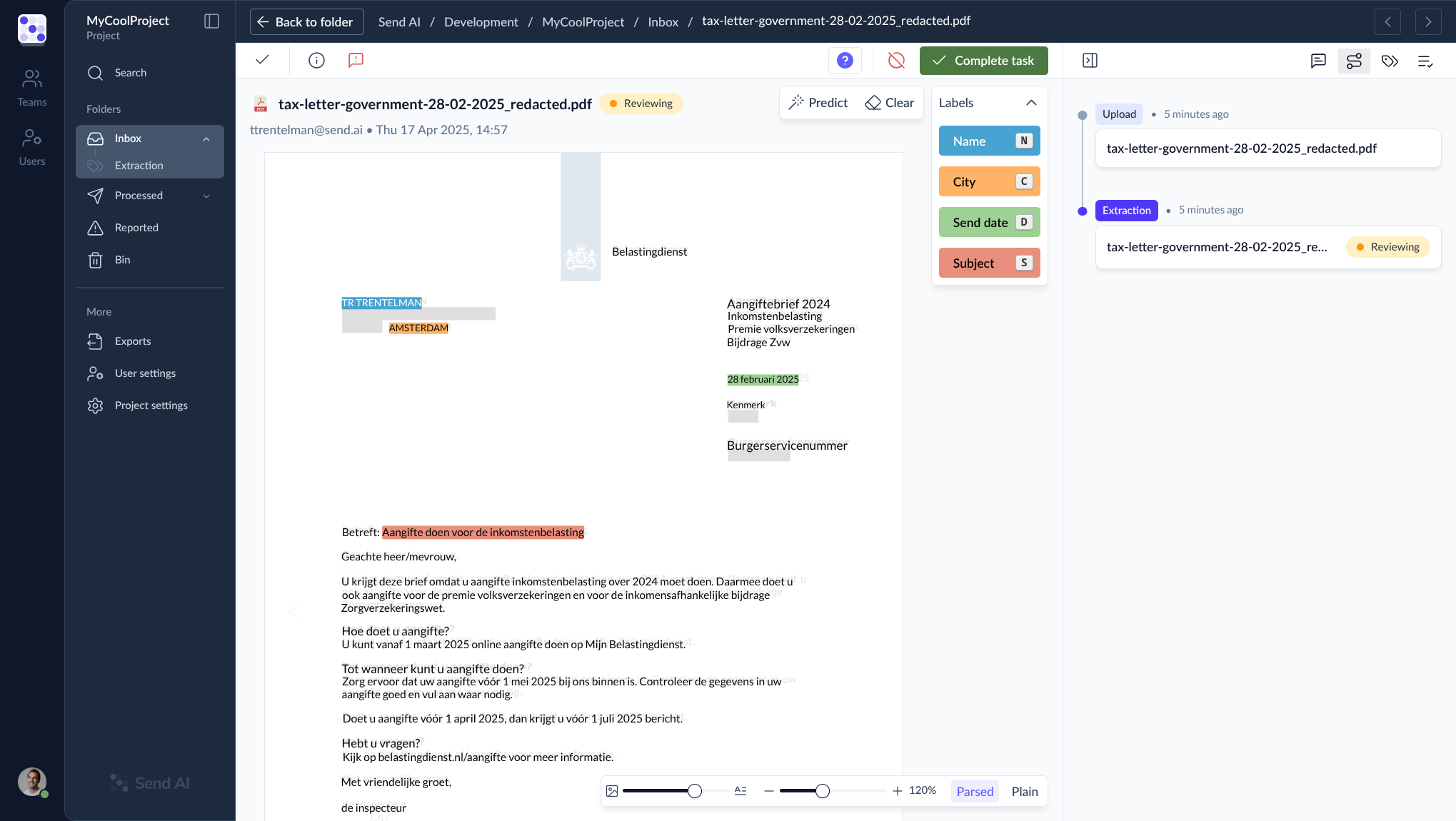
- Process Button Renamed to "Complete task" - Renamed and relocated from the sidepanel validation tab to the main screen for easier access
- Full Validation Cycle - The "Complete task" button performs a full validation cycle when clicked
- Validation Recommendation - It's still recommended to check the validation tab when possible to ensure accuracy
- Enhanced Status Information - More detailed warnings and errors now appear in the main toolbar
- Streamlined Task Processing - Tasks can now be processed without having the sidepanel open
- Reorganized Labeling Controls - Predict and Reset buttons moved next to the Labels tab in the Task editor window, grouping all data labeling actions together
- Updated Tab Icons - The Annotations and Validation tab icons have been updated for better visual clarity
New Features
Notifications System
- Project Notifications Tab - Added to Project settings for configuring notification preferences
- Connector Integration - Receive notifications via API or email about task status changes
- Email Reply Support - Forwarded emails can now receive automatic replies from Send AI, providing a clean overview in email clients
Task Locking
- Export Protection - Tasks marked as complete and staged for export are now locked to prevent duplicate exports
- Selective Unlocking - Tasks can be unlocked in any folder except the Processed folder
- Data Integrity - Helps prevent issues caused by exporting the same data multiple times
Improvements
- Enhanced Activity Panel - Added indicators for export failures in the Activity panel
- Error Recovery - Introduced a Fix button for tasks that failed during parsing
- Timeout Handling - Improved recovery options for rare timeout scenarios
- Unsupported Format Detection - Better identification and reporting of unsupported data formats
Bug Fixes
- Fixed an issue where partial string matches in lookup validation could produce false positives
- Resolved navigation issues in the documentation
- Fixed inconsistent error messages in the validation system
- Corrected path references in API documentation
Coming Soon
- SAML-based SSO - Working on synchronizing Azure Entra between clients through SAML
- Manual Update Controls - Development of manual refresh and update notification features
- Extended Notification Types - More granular notification options with subscription capabilities